

LHZ Bass Preamps
QwikChord Guitar Chord Diagram Generator
QwikChord Guitar Chord Diagram Generator
Couldn't load pickup availability
Looking for the fastest way to create guitar chord diagrams? QwikChord is used worldwide by authors, teachers, students, songwriters, and worship teams to quickly create chord diagrams!
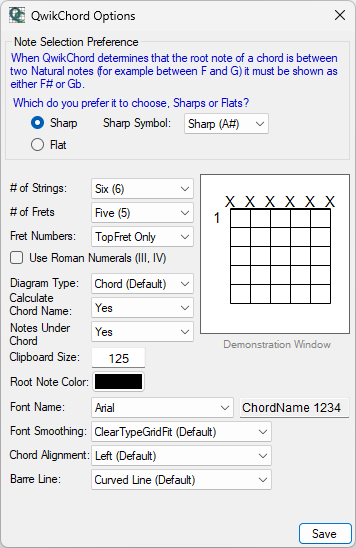
Originally developed in 2002 as a simple tool to create chord diagrams, it evolved to include a Chord Engine that calculates the chord names and added options to produce a wide range of diagrams and charts and custom notation.
QwikChord was originally retired in 2012. Despite that, we continually receive emails inquiring about availability. After many requests, we've recompiled the application to install on Windows 11 and once again making it available.
Yes, it does look dated! The user interface was designed 20 years ago in a less elegant time. Our focus these days are on hardware development, so there are no current plans to refresh QwikChord to more modern appearance or add new features.
This is a Windows application, so it will not run on Linux, Mac, or other operating systems.
LICENSING
QwikChord is old-school software. Buy it once, and install it anywhere you want to: You own it. It doesn't check the internet to see if it's registered, and doesn't limit you to a specific number of installs. It doesn't install anything on your computer other than the QwikChord application it's PDF manual. It doesn't get easier than that!
INSTALLATION NOTES (PLEASE READ!)
Recent updates to Windows 11 makes it difficult to download and install software that is does not have a digital certificate. What is a digital certificate, you ask? Basically, it's a high-cost annual fee that a developer must pay a licensing authority that basically "proves" software is from a trusted source.
The reality is that it makes distributing software incredibly and difficult for individuals and small companies. Paying a yearly fee doesn't prove anything is safer, it's equivalent to buying a FastPass at a Theme park (that you already paid the admission price for) so you can get into the ride without a 3 hour wait. The certificate is just the privilege of being listed in a directory that shows a company paid the fee, and profitable scammers are quite happy to pay that fee to appear legitimate.
We have NOT purchased a digital certificate as our annual sales of QwikChord are far less than the annual certificate fee. This means 2 things for you, the buyer:
- Windows will complain and possibly not let you save the MSI installer because it doesn't "trust" it, and
- Microsoft SmartScreen will likely prevent you from installing QwikChord because it doesn't a certificate proving it is from a trusted source.
You can still download and install QwikChord, but it will take a few extra steps.
IF YOU HAVE DIFFICULTY DOWNLOADING
If you're using Google Chrome:
- Click the download link.
- When the warning appears at the bottom:
- Click the small arrow (^) next to the file name
- Select Keep
- Chrome will prompt again:
- Click Keep anyway
If it doesn’t show:
- Open Downloads (or Press Ctrl+J)
- Find the blocked file, then click Keep
If you're using Microsoft Edge:
- Click the download link.
- In the download popup:
- Click the three dots (•••) next to the file
- Select Keep
- A warning will appear, choose Keep anyway
If you're using Mozilla Firefox:
Firefox is less aggressive, but if blocked:
- Open Downloads (Ctrl + J)
- Right-click the file
- Choose Allow Download
IF YOU HAVE DIFFICULTY INSTALLING THE MSI
- When the dialog appears:
- Click More info,
- Then Run anyway
If you do not see the "Run Anyway" option, then Unblock the file manually:
- Right-click the .msi file on your computer
- Select Properties
- At the bottom of the Properties window:
- Check Unblock
- Click Apply, then OK
- Run the installer again
Share